 suttertek
DIGITAL HELPER
suttertek
DIGITAL HELPER
suttertek
DIGITAL HELPER
suttertek
DIGITAL HELPER
suttertek DIGITAL HELPER is a hosted, browser-based service. It gives someone you care about large, familiar buttons for email, money, documents, contacts, help, safety, internet, TV, games, and more. Nothing to download or install.
$60/year. Founding offer: $50 for your first year.
The Problem
Buying technology for someone who does not enjoy it is hard. Apps change. Websites move things around. Scam calls and fake alerts are everywhere. And every time something goes wrong, you get the call.
The real problem is not that the person cannot use technology. The problem is that there is no one safe starting place they trust, recognize, and can return to with confidence.
They almost fell for it last time. And there will be a next time. Every new popup is a risk.
They cannot find their email. The bank website moved. The old shortcut stopped working.
You love them. But fielding every tech question is exhausting for both of you.
The Solution
suttertek DIGITAL HELPER gives someone you care about one clear, familiar home base for their digital life. Their email, bank, bills, contacts, and help options are all in one place, behind a simple, large-tile screen they can use with confidence.
Suttertek provides and hosts the platform. After purchase, you or someone you trust uses the Builder Module to personalize it once with their real links and helper contacts. Your person then opens it with a private link in a modern web browser and uses it every day without confusion.
Made for older adults, families, less-technical users, and the trusted helpers who support them.
How It Works
Choose DIGITAL HELPER and complete your purchase. There is nothing to download or install.
Paddle processes the payment and shows any applicable taxes at checkout.
You, the DIGITAL HELPER user, your trusted Helper, or another person you choose enter the information needed to personalize the service.
The Builder uses the information you provide to create the personalized DIGITAL HELPER. Do not enter passwords, PINs, account numbers, security answers, balances, document contents, or login credentials.
When Builder setup is complete, the personalized Helper Module is available through its private browser access link.
Suttertek can provide assistance using the Builder. Optional setup services may also be offered if you prefer Suttertek to enter the information for you. In every case, you or your trusted Helper must provide the information to be entered.
Personalization happens in the Builder Module after your purchase. This page does not state a delivery time.
What Is Included
Your annual subscription to suttertek DIGITAL HELPER includes:
Nothing to download or install. Works in a modern web browser through your private access link.
Choose the Right Fit
DIGITAL HELPER includes all three modes. Use the one that fits your person best.
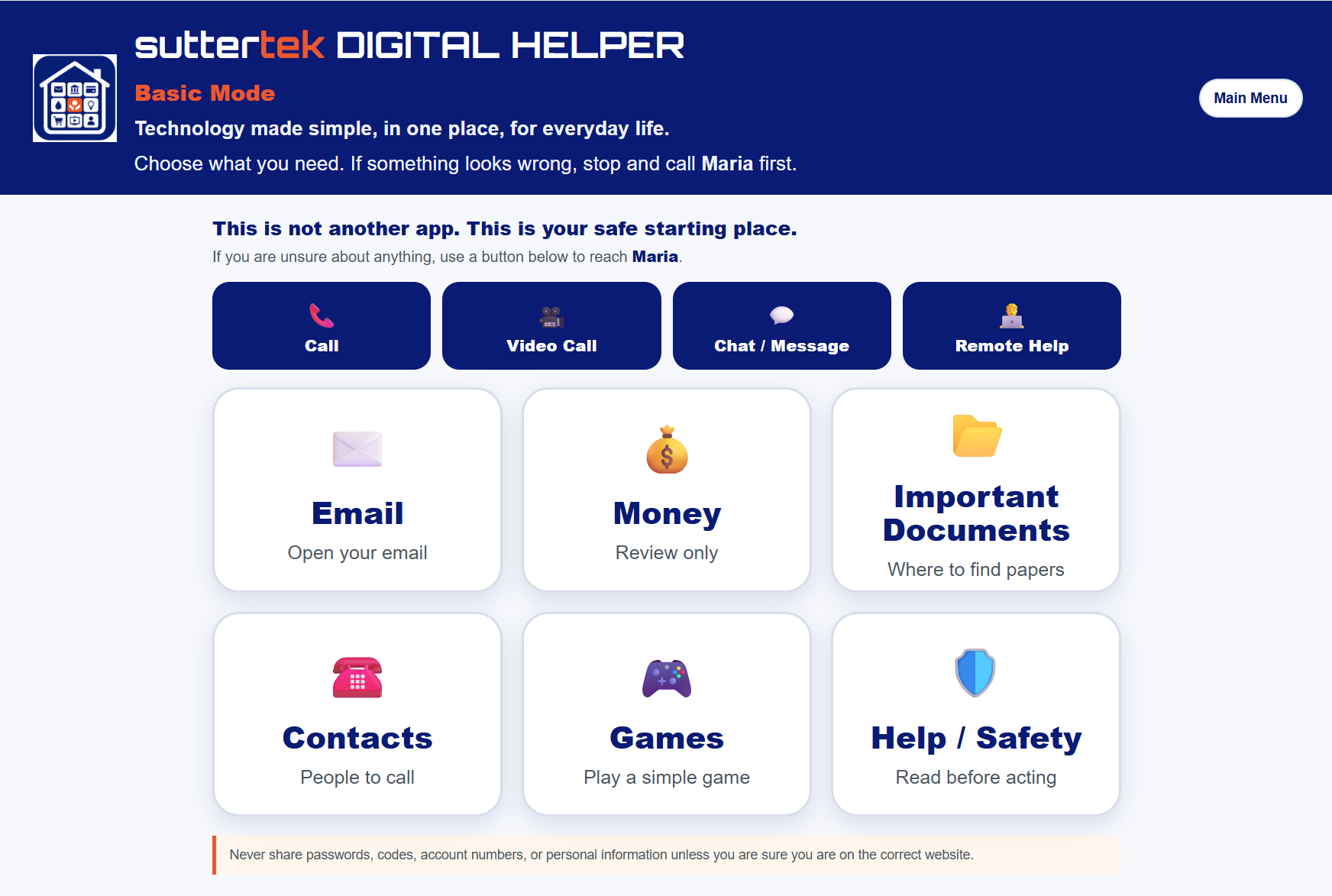
6 large tiles: Email, Money, Important Documents, Contacts, Games, and Help / Safety.
The right choice for someone who wants the fewest possible choices on the screen.
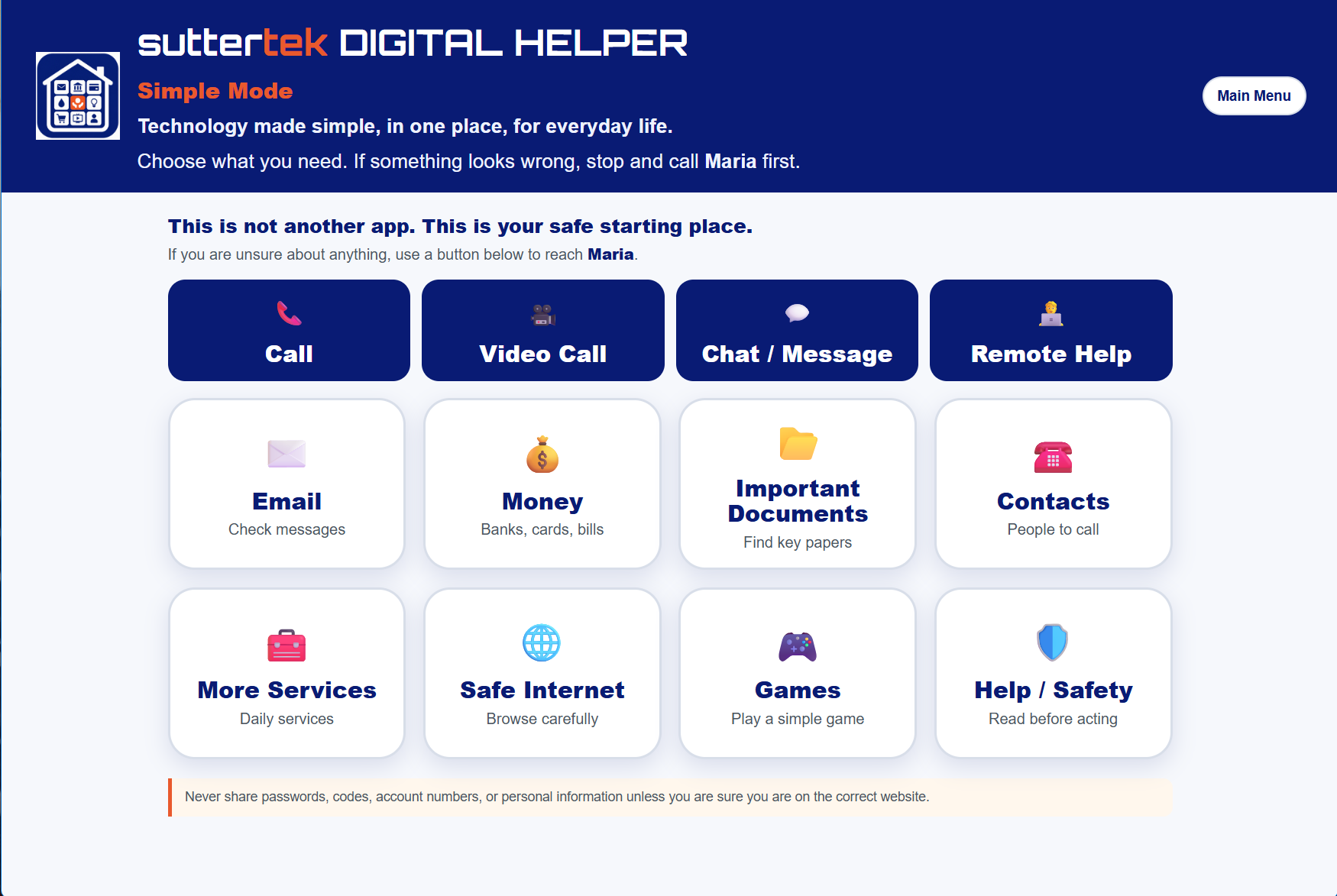
8 tiles: Email, Money, Important Documents, Contacts, More Services, Safe Internet, Games, and Help / Safety. The language is calm and reassuring throughout.
The right choice for someone who feels anxious about technology or wants a little more than the basics without feeling overwhelmed.
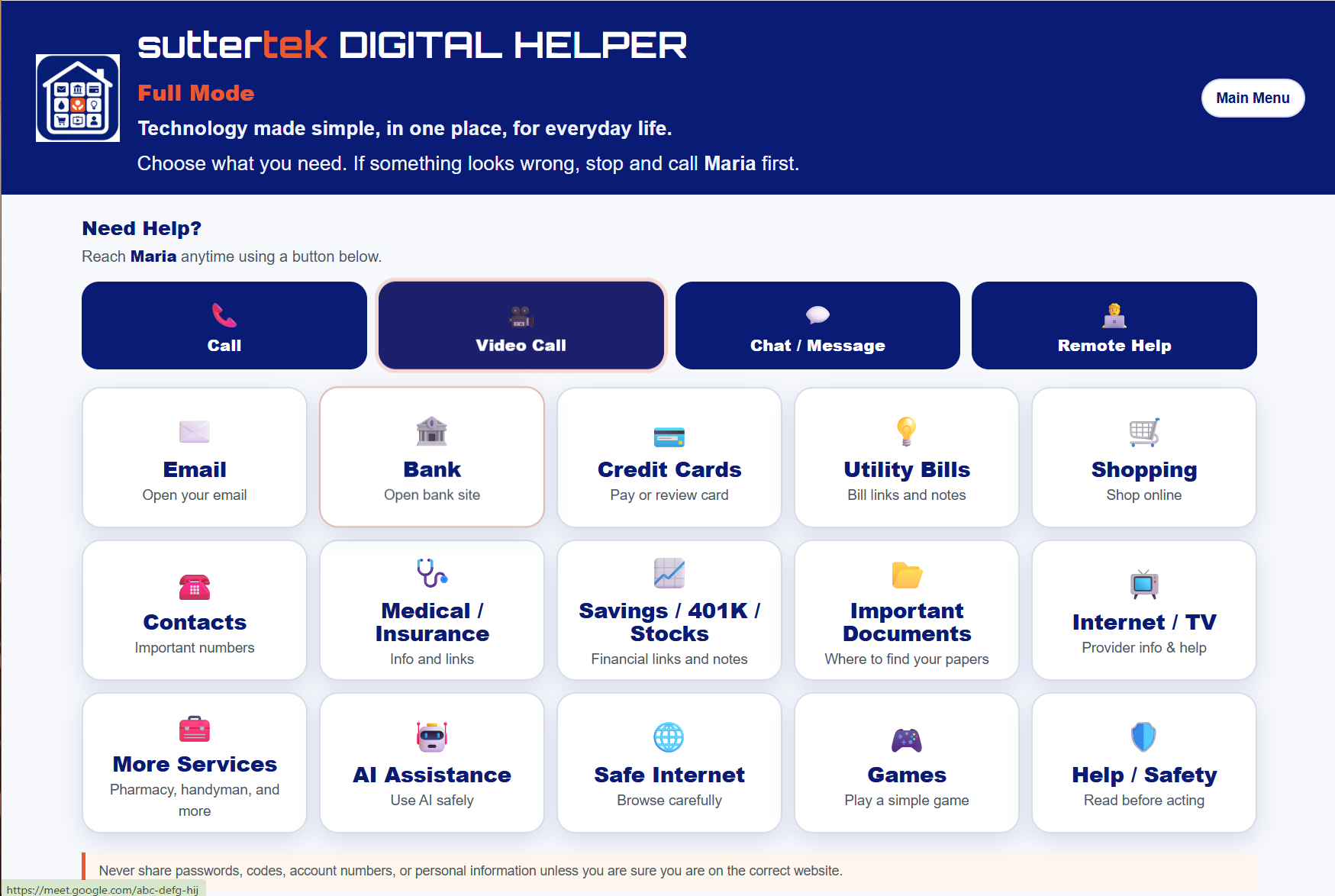
15 tiles on one screen. Large, readable labels. Email, Bank, Credit Cards, Utility Bills, Shopping, Contacts, Medical / Insurance, Savings / 401K / Stocks, Important Documents, Internet / TV, More Services, AI Assistance, Safe Internet, Games, and Help / Safety.
The right choice for someone who uses a computer regularly and just wants things to be simpler and better organized.
Which modes are turned on is chosen in the Builder. At least one mode always stays on, and a mode that is turned off still shows on the landing page, grayed out, so nothing looks broken.
Your Trusted Helper
The Helper is a trusted person chosen by the customer, normally a family member, friend, caregiver, or similar trusted person. The Helper's name appears throughout DIGITAL HELPER, and the Helper's contact details power the Call, Video Call, Chat / Message, and Remote Help buttons. Your trusted Helper can also be the person who enters the information into the Builder Module.
Remote Help guides your person to a remote-support service and reminds them to continue only when they are already speaking with their Helper. Only start a remote session with someone you trust.
Safety and Privacy
suttertek DIGITAL HELPER is a launch pad and link organizer. It is not a place to keep secrets.
See It First
A few more screens from DIGITAL HELPER.
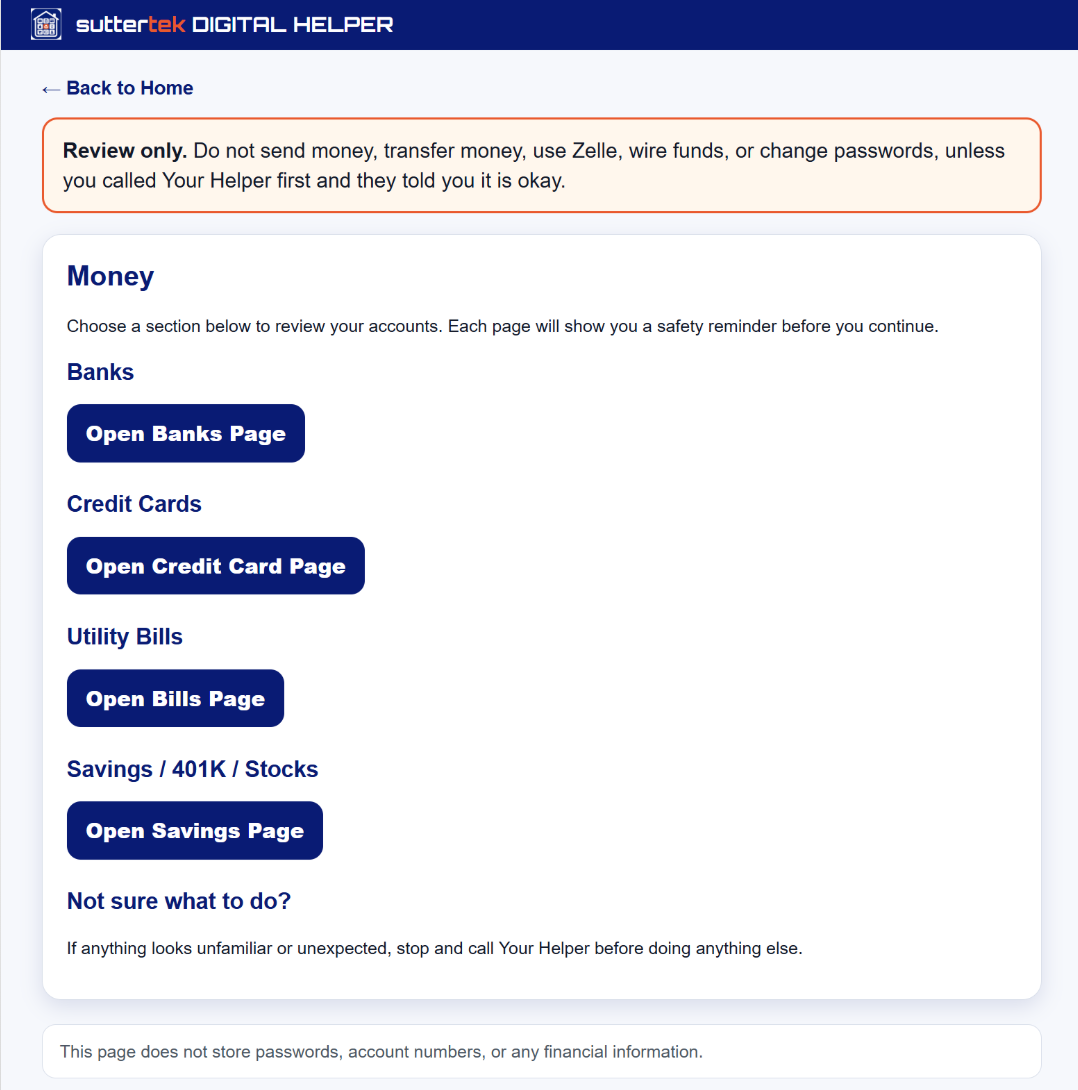
Banks, cards, bills, and savings grouped in one calm place.
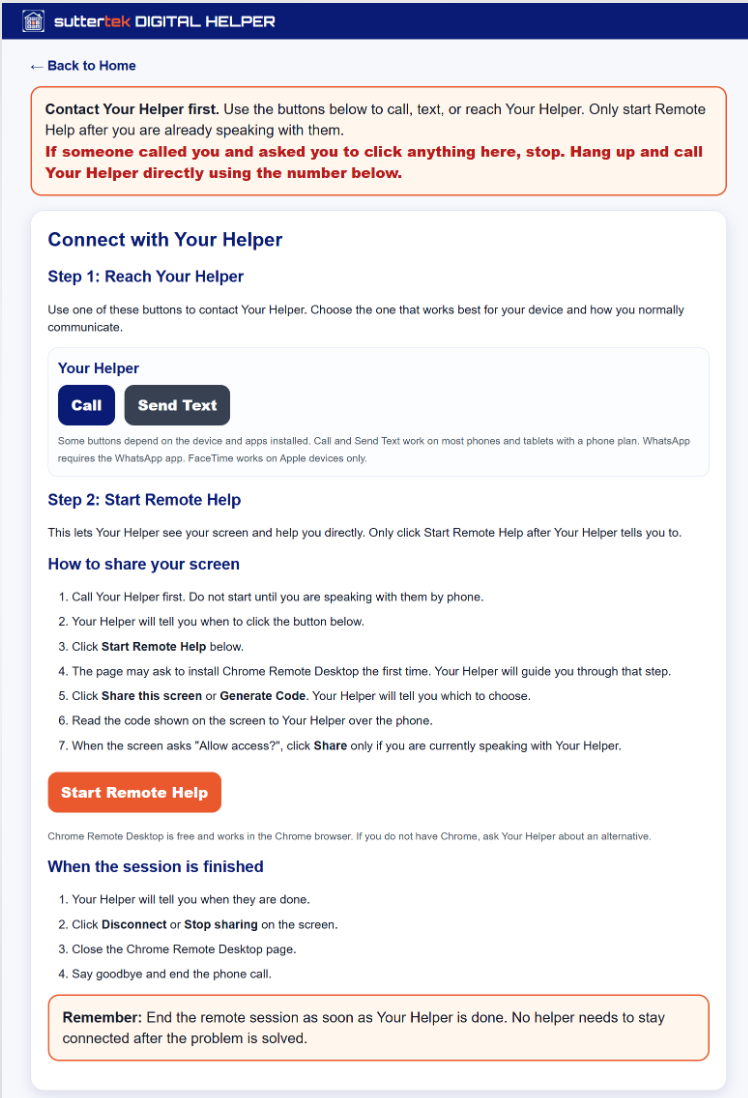
Text, call, video call, or remote help from a trusted person.
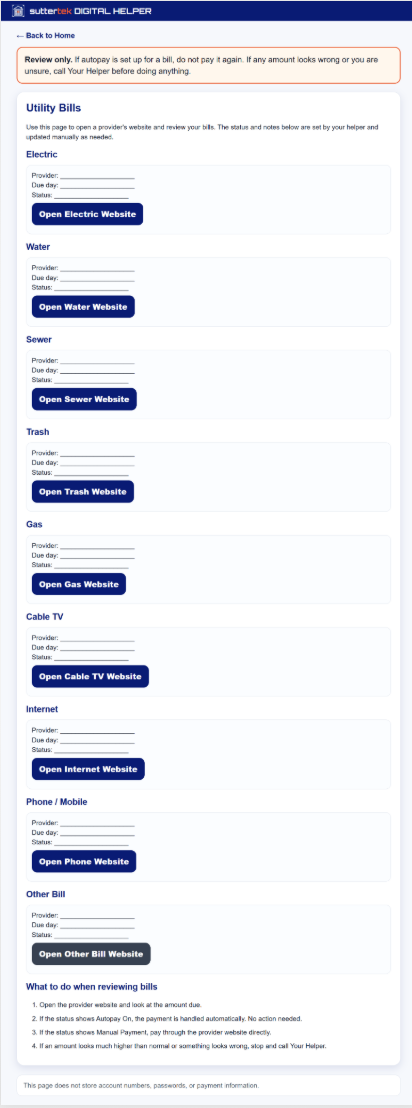
Provider links and a calm reminder before you review a bill.
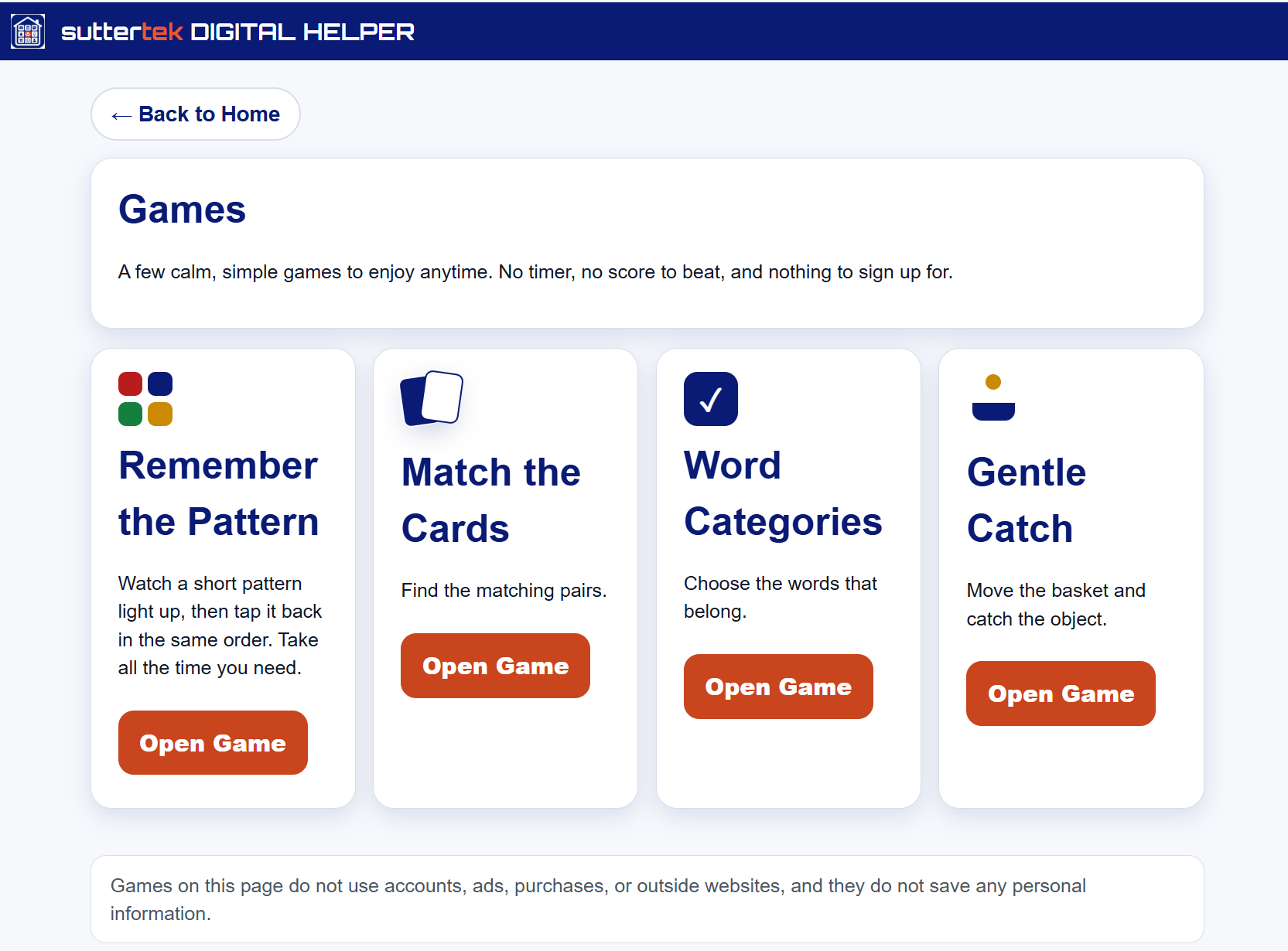
A few calm, simple games to enjoy anytime.
About Suttertek
suttertek DIGITAL HELPER is created by Suttertek LLC, a Miami-based technology company focused on practical digital support for everyday life.
Designed to avoid storing passwords and other sensitive details. Safety reminders built into every financial page.
With direct experience in software development and a focus on usability for everyday users.
Questions go straight to Suttertek at support@suttertek.com.
"This is exactly the kind of simple starting point many people need. It makes technology feel less intimidating and gives families a safer way to help."
Retired senior consulting executive, early pilot reviewer
"As someone who worked in technology, I can see the value immediately. The idea is simple, practical, and very useful for people who need fewer choices and clearer steps."
Retired IT professional, early pilot reviewer
"For a family member, this solves a real problem. Everything important is in one place, and it makes it easier to help without explaining the same things again and again."
Family pilot user
Pricing
The founding offer applies to the first payment only. Applicable taxes are shown at checkout.
Ready to Get Started?
One safe place for your person. After your purchase, you personalize it with the Builder Module.
$60/year. Founding offer: $50 for your first year.
Questions? Contact support@suttertek.com
Questions
Questions before you buy, or trouble reaching your DIGITAL HELPER later? Contact support@suttertek.com.